Running a business from home offers unmatched flexibility—especially for parents juggling entrepreneurship and childcare. But with 68% of remote workers reporting distractions from young children, creating a safe, distraction-free home office is non-negotiable. Childproofing isn’t just about safety; it’s about protecting your productivity, your equipment, and your peace of mind.
Whether you’re a solopreneur with toddlers or managing a growing team while parenting, these 7 proven childproofing strategies will help you build a secure workspace that supports both your business and your family.
- Anchor Heavy Furniture to Prevent Tip-Overs
Bookcases, filing cabinets, and standing desks can become climbing hazards in seconds.
- Why it matters: The CPSC reports over 22,000 furniture tip-over injuries annually, many involving children under 6.
- How to fix it:
- Use anti-tip straps or brackets (available for $10–$20 at hardware stores).
- Secure every piece taller than 30 inches, even if it feels stable.
- Opt for L-brackets for wall-mounted shelves and furniture anchors for freestanding units.
Pro Tip: Test stability by pushing from the top—if it wobbles, anchor it.
- Cover & Secure Electrical Outlets
Curious fingers and metal objects don’t mix.
- Install tamper-resistant (TR) outlets ($3–$5 each) that require two-prong pressure to open.
- Use sliding outlet covers for active plugs (printer, monitor) to prevent accidental unplugging.
- Cord management: Bundle cables with Velcro ties and route them behind furniture or through cable covers.
SEO Bonus: Search for “best childproof outlet covers 2025” to find top-rated TR receptacles on Amazon.
- Lock Cabinets & Drawers with Magnetic Locks
Kids love exploring drawers—especially ones with scissors, staplers, or confidential files.
- Magnetic locks (e.g., Safety 1st) are invisible and open with a magnetic key.
- Childproof knob locks work for lower drawers but can be outsmarted by older toddlers.
- Store hazardous items (batteries, toner, sharp tools) in high, locked cabinets.
- Create a Visual & Physical Boundary
Define your office as “adult-only” territory.
- Baby gates with vertical bars (no footholds for climbing).
- Clear acrylic panels or half-doors for open layouts—lets you supervise without full access.
- Add a “Do Not Enter” sign at kid-eye level with fun graphics (e.g., a cartoon robot guard).
Product Rec: Regalo Easy Step Walk-Thru Gate (top-rated for wide doorways).
- Secure Your Tech Setup
Laptops, monitors, and webcams are toddler magnets.
- Mount monitors on adjustable arms (out of reach).
- Use laptop locks or docking stations bolted to the desk.
- Enable auto-lock after 1 minute of inactivity (Windows + Mac settings).
- Invest in a lockable rolling cart for portable gear—wheel it out of the office post-work.
- Eliminate Small Choking Hazards
Office supplies = toddler toys (until proven otherwise).
- Store paper clips, push pins, and coins in locked tins.
- Use a cordless hole punch and staple-free stapler to reduce risks.
- Keep a small parts organizer with child-resistant lids (like a tackle box).
- Add Smart Monitoring for Peace of Mind
Stay connected even when you’re on a call.
- Wi-Fi baby monitors with two-way audio (e.g., Nanit Pro) let you check in without leaving your desk.
- Motion alerts via apps like Wyze or Ring—get notified if the office door opens.
- Pair with smart plugs to remotely shut off desk lamps or chargers.
Bonus: Upgrade Your Professional Image with a Virtual Office
Childproofing keeps chaos out—but a virtual office keeps your business looking polished. With ViewPointe Executive Suites, you get:
- A prestigious business address (no home address on invoices).
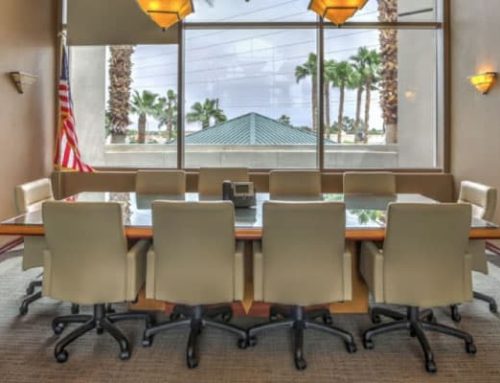
- On-demand meeting rooms for client pitches (kid-free zone guaranteed).
- Live receptionist services to answer calls professionally.
Perfect for parents who need zero distractions during high-stakes meetings.
Final Checklist: Is Your Home Office Truly Childproof?
| Task | Done? |
| Anchor all tall furniture | ☐ |
| Install TR outlets | ☐ |
| Lock cabinets/drawers | ☐ |
| Set physical boundary | ☐ |
| Secure tech & cords | ☐ |
| Remove small hazards | ☐ |
| Add smart monitoring | ☐ |
Ready for a distraction-free, professional setup? Contact ViewPointe Executive Suites today for virtual office packages starting at $59/month. Work from home—present like a CEO.
Explore ViewPointe Virtual Offices | Get a Free Quote